Ultimate Guide to QR Code Generator Customization for Better Branding
Learn how to customize QR Codes with colors, logos, frames, and styles to create attractive, branded, and highly scannable QR Codes.
QR Codes have become an essential part of modern digital marketing, business operations, event management, and customer engagement. From restaurant menus and digital payments to product packaging and social media campaigns, QR Codes are now everywhere. However, basic black-and-white QR Codes are no longer enough to capture attention in a competitive digital world.
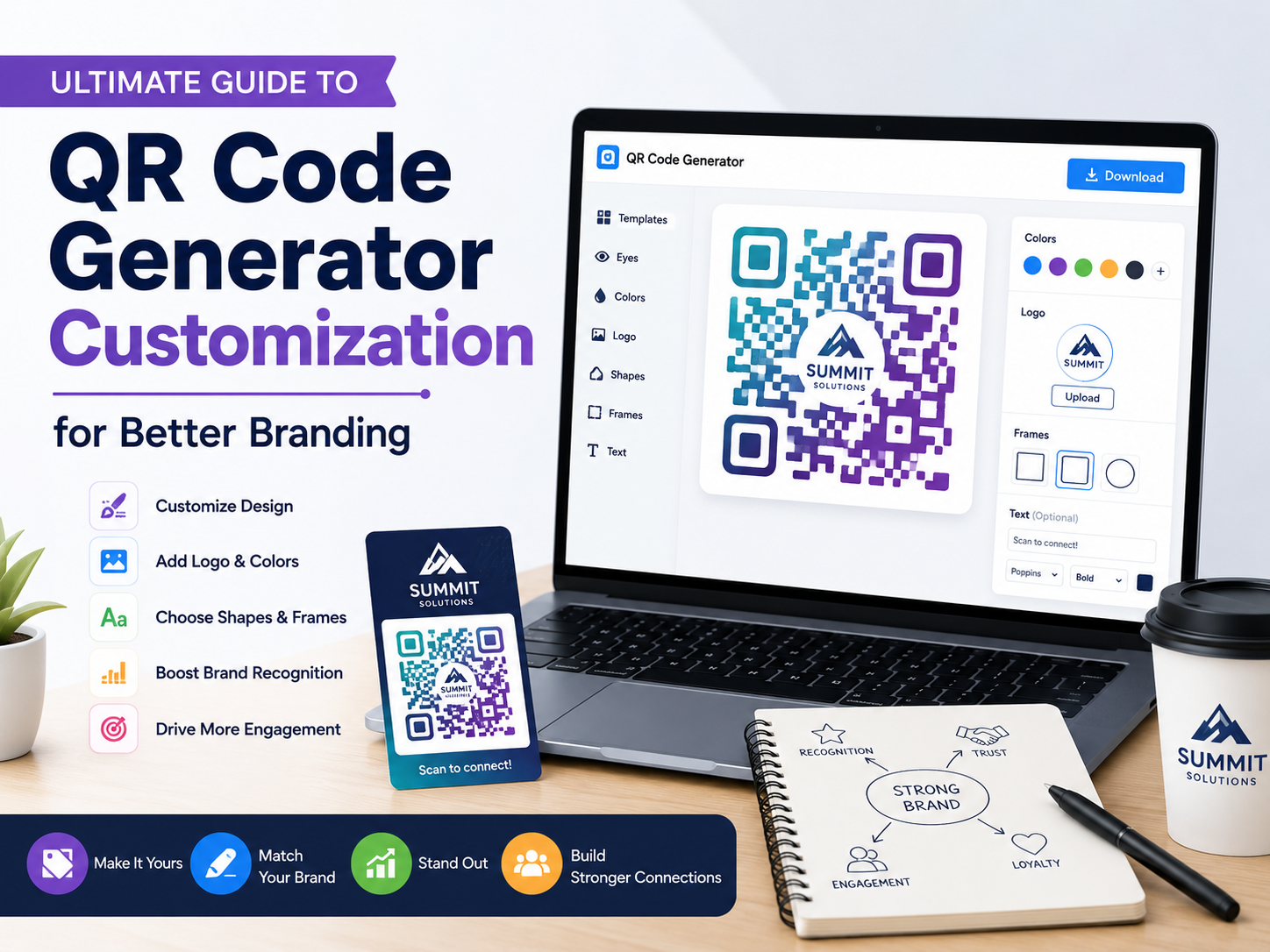
This is where QR Code customization becomes important. A well-designed QR Code not only improves branding but also increases user trust and engagement. Modern QR Code generators allow users to customize colors, shapes, logos, frames, and backgrounds while still keeping the QR Code fully functional and easy to scan.
If you are looking for an easy and modern tool to create branded QR Codes, you can try QR Code Generator with Custom Logo and Branding . The tool allows users to create customized QR Codes with colors, logos, frames, gradients, and professional styling without requiring design skills.
In this complete guide, you will learn everything about QR Code generators, customization options, best design practices, and tips to create professional QR Codes that stand out.
What is a QR Code Generator?
A QR Code generator is a tool that creates QR Codes from different types of data such as URLs, text, contact information, WiFi credentials, payment links, social media profiles, and more.
Once generated, the QR Code can be downloaded and shared digitally or printed on physical materials.
- Website URLs
- Business contact cards
- Restaurant menus
- WiFi sharing
- Event tickets
- Digital payment links
- Product packaging
Why QR Code Customization Matters
Standard QR Codes often look plain and generic. Customization allows businesses and creators to transform QR Codes into visually appealing branding assets.
A customized QR Code can:
- Increase scan rates
- Strengthen brand identity
- Improve customer trust
- Make marketing materials more attractive
- Create a professional appearance
When users see a branded QR Code with recognizable colors and logos, they are more likely to trust and scan it compared to a generic black-and-white design.
Main QR Code Customization Features
1. Color Customization
One of the most popular customization features is changing QR Code colors. Modern QR Code generators allow you to replace the traditional black-and-white design with custom brand colors.
- Use brand colors for consistency
- Create gradient QR Codes
- Use dark foreground with light background
- Improve visual appeal
However, it is important to maintain sufficient contrast between the QR Code and background to ensure scanners can read the code correctly.
Tools like customizable QR Code generator for branding make it easy to apply business colors, gradients, and stylish themes while maintaining high scan accuracy.
2. Logo Integration
Adding a logo in the center of the QR Code is one of the best ways to enhance branding.
Businesses often place:
- Company logos
- Brand icons
- Social media logos
- Product symbols
QR Codes use error correction technology, which allows a portion of the code to be covered by a logo without affecting scan performance.
Using a QR Code generator with logo support helps businesses create more trustworthy and recognizable QR Codes for customers.
3. Frame and Call-to-Action
Frames help QR Codes stand out while also guiding users on what action to take.
Examples of call-to-action text:
- Scan Me
- View Menu
- Get Discount
- Download App
- Join Event
Clear instructions significantly improve user interaction and scan rates.
4. QR Shape Customization
Many QR Code generators now support custom shapes and patterns.
- Rounded dots
- Square dots
- Circular patterns
- Modern artistic styles
Custom shapes help QR Codes look modern and visually attractive while maintaining functionality.
5. Background Customization
QR Code backgrounds can also be customized with:
- Solid colors
- Transparent backgrounds
- Image backgrounds
- Marketing graphics
Transparent QR Codes are especially useful for graphic designers who want seamless integration into posters, websites, and packaging designs.
Advantages of Using a Modern QR Code Generator
Modern QR Code tools are designed not only for generating QR Codes but also for improving branding, marketing performance, and customer engagement.
One recommended solution is ToolsQ QR Code Generator , which offers a user-friendly interface and professional customization features.
- Easy-to-use dashboard for beginners and professionals
- Custom logo upload support
- Beautiful gradient and color customization
- Modern QR Code styles and patterns
- Fast QR Code generation process
- Download in high-quality image formats
- Works for business, marketing, events, and social media
- Mobile-friendly QR Code creation experience
From a user perspective, the biggest advantage is simplicity. Users can generate a professional branded QR Code within minutes without using complicated graphic design software.
Types of QR Codes
Static QR Codes
Static QR Codes contain fixed information that cannot be changed after creation.
- Permanent data
- No editing after generation
- Best for simple usage
Dynamic QR Codes
Dynamic QR Codes allow users to change destination links and track analytics without changing the printed QR Code itself.
- Editable destination URL
- Track scan statistics
- Monitor user engagement
- Ideal for marketing campaigns
Best Practices for Creating Good QR Codes
Maintain High Contrast
Always use strong contrast between the QR Code and its background. Dark foregrounds with light backgrounds work best.
Avoid Overdesigning
Excessive customization can reduce scan accuracy. Keep designs clean and readable.
Test Before Publishing
Always test QR Codes using multiple devices and scanning apps before printing or publishing.
Use Proper Size
Small QR Codes may become difficult to scan. Ensure sufficient size for the intended usage.
- Business cards
- Billboards
- Packaging
- Menus
Use Error Correction
Higher error correction levels improve scanning reliability when logos or custom designs are added.
Popular Uses of Customized QR Codes
Business Marketing
- Product promotions
- Digital catalogs
- Landing pages
- Discount campaigns
Restaurants and Cafes
- Digital menus
- Online ordering
- Payment systems
Events
- Ticket verification
- Event registration
- Guest check-in
Social Media
- Instagram profiles
- TikTok accounts
- YouTube channels
Payments
- Digital wallets
- Bank transfers
- Cryptocurrency payments
How to Create a Customized QR Code
- Open a QR Code generator tool
- Select QR Code type
- Enter your content or URL
- Choose colors and styles
- Add logo if needed
- Customize frame and CTA
- Preview the QR Code
- Test scanning functionality
- Download in PNG, SVG, or PDF format
To simplify the process, you can use free QR Code generator with branding customization that supports logos, colors, and modern QR Code styles instantly.
Best File Formats for QR Codes
PNG
Best for websites and digital usage.
SVG
Ideal for scalable printing without quality loss.
Suitable for professional printing projects.
Common QR Code Mistakes
- Using low contrast colors
- Adding oversized logos
- Using blurry images
- Overcomplicated patterns
- Printing QR Codes too small
- Not testing before distribution
Security Tips for QR Codes
- Use trusted QR Code generators
- Avoid suspicious destination links
- Use HTTPS websites
- Monitor dynamic QR Code analytics
- Update expired links regularly
FAQs
Can QR Codes have custom colors?
Yes, most modern QR Code generators support full color customization.
Can I add my logo to a QR Code?
Yes, logos can be safely added using error correction technology.
Do customized QR Codes scan properly?
Yes, as long as proper contrast and readability are maintained.
What is the best format for printing QR Codes?
SVG and PDF formats are ideal for high-quality printing.
Are QR Code generators free?
Many QR Code generators offer free basic features with optional premium tools.
Which QR Code generator supports branding customization?
You can use
ToolsQ QR Code Generator
to create branded QR Codes with custom colors, logos, and stylish frames.
Conclusion
QR Code customization is more than just adding colors or logos. It is about creating visually attractive, branded, and highly functional QR Codes that improve user engagement and strengthen business identity.
With the right QR Code generator and smart design practices, you can create professional QR Codes suitable for marketing, payments, events, restaurants, social media, and countless other digital experiences.
Whether you are a business owner, marketer, designer, or content creator, customized QR Codes can help bridge the gap between offline and online experiences in a modern and engaging way.
Start creating your own branded QR Codes today using professional QR Code generator with customization features and improve your branding, customer engagement, and marketing performance.